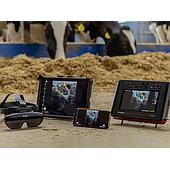
Portable veterinary ultrasound workflows often depend on more than the scanner itself. Viewing an image on a mobile device, sharing it with a team, transferring saved files, or reviewing examinations away from the device can affect how efficiently a diagnostic task is performed. Draminski portable veterinary ultrasound apps are designed for different device groups and use cases, so selecting the app that matches the scanner is an important first step.
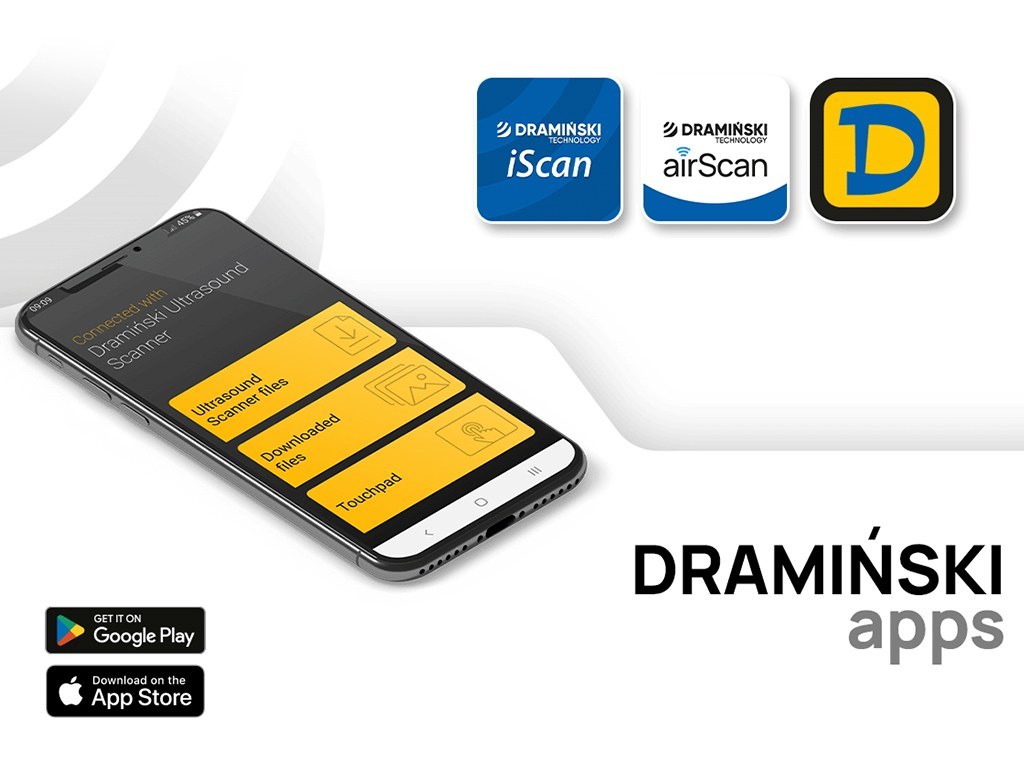
This guide outlines the available app pairings for selected Draminski ultrasound devices. It focuses on the stated functions of each app, including real-time viewing, image streaming, file transfer, and analysis of previously saved images.
Choose the app by ultrasound device and workflow
The appropriate app depends on whether the user needs direct mobile-device operation, collaborative viewing, or access to saved examinations. The supported operating systems and connection requirements also differ by device family.
Draminski airScan for airScan pro, airScan, and ASUS probes
Draminski airScan is the dedicated application for airScan pro, airScan, and ASUS probes. These are wireless, compact ultrasound solutions without built-in screens. Images are displayed on a smartphone or tablet; with airScan pro, images can also be displayed using smart glasses.
The app is available for Android and iOS. Its stated role is to provide real-time image transmission to the connected mobile device and enable ultrasound settings to be controlled from within the app. A single mobile device can be connected at one time.
For airScan pro, the device can additionally be operated through its built-in membrane keyboard. This combination can suit users who want a mobile display while retaining access to controls on the device itself.
Draminski iScan for iScan mini and iScan 3
Draminski iScan is intended for the iScan mini and iScan 3 ultrasound machines. The app is available for Android and iOS and is centered on live viewing and sharing rather than changing scanner settings.
Its live image streaming function can display the same ultrasound image on multiple mobile devices simultaneously. This may be useful when several people need to follow an examination, such as during team-based work or training activities. The app can also transfer images and video loops stored in the ultrasound device’s memory to a phone or tablet.
With iScan mini and iScan 3, ultrasound settings are controlled directly on the ultrasound device. The mobile app is used for viewing and image sharing, helping separate scanner control from the sharing workflow.
Use iLens goggles with the configured app
iLens wireless goggles are listed for use with airScan pro, iScan mini, and iScan 3. They provide an alternative way to view diagnostic imaging for field work where users may want to concentrate on the image with fewer distractions.
Each pair of iLens goggles is preconfigured for a specific app. For airScan pro, the goggles are prepared for the Draminski airScan app. For iScan mini and iScan 3, they are configured for the Draminski iScan app. Checking this pairing before use helps ensure that the goggles correspond to the ultrasound device and intended viewing workflow.
Draminski Ultrasound for iScan 2 and iScan 2 MULTI
Draminski Ultrasound is the dedicated Android application for iScan 2 and iScan 2 MULTI. Its purpose is to support viewing, downloading, and analyzing images that have already been saved on the ultrasound device.
In online mode, users can view and download saved images from the ultrasound device and perform quick measurements. In offline mode, previously saved images remain available even when there is no connection to the ultrasound device. This distinction can be helpful when image review and assessment need to continue separately from scanning.
An external antenna is required for iScan 2 and iScan 2 MULTI to connect with the app. This requirement should be considered when planning a mobile image-review workflow for either device.
Quick compatibility summary
- airScan pro, airScan, ASUS probes: Draminski airScan for Android and iOS; real-time viewing and app-based setting control.
- iScan mini, iScan 3: Draminski iScan for Android and iOS; multi-device live streaming plus image and video-loop transfer.
- iScan 2, iScan 2 MULTI: Draminski Ultrasound for Android; online and offline access to saved images, with an external antenna required for connection.
- iLens goggles: preconfigured with Draminski airScan for airScan pro or Draminski iScan for iScan mini and iScan 3.
Selecting the right mobile ultrasound app
Start with the exact ultrasound model, then identify the primary task. Draminski airScan is the relevant option where mobile-device display and app-based control are needed for the compatible wireless devices. Draminski iScan is intended for live sharing and transferring media from iScan mini or iScan 3. Draminski Ultrasound serves saved-image viewing, downloading, and quick measurement needs for iScan 2 and iScan 2 MULTI.
Matching the app, device, and viewing accessory correctly supports a more organized portable veterinary ultrasound workflow, whether the priority is individual scanning, shared observation, training, or later image review.