Coating thickness gauges are key equipment in shipyards, automotive production lines, and steel structures. They facilitate rapid monitoring of coating parameters to ensure products meet technical standards. However, malfunctions such as the gauge freezing or failing to read readings when the probe is pressed are quite common. Correctly addressing this issue ensures timely report completion and prevents serious damage to expensive sensors.
What practical benefits can a coating thickness gauge provide you?
Before addressing the blank screen error, you should review the situations where this type of machine works effectively at EMIN:
Protective paint layer control: Determine the paint thickness on the machine body and road surfaces to ensure durable rust resistance.
Used vehicle inspection: Measure the paint thickness on the car body to detect areas of previous collisions, patching, or repainting.
Electroplating acceptance testing: Control the thickness of the zinc or nickel plating to improve wear resistance of machine parts.
Pipenetration protection: Inspect the outer coating of oil and gas pipeline systems to prevent environmental corrosion.
Why isn't the coating thickness gauge displaying data?
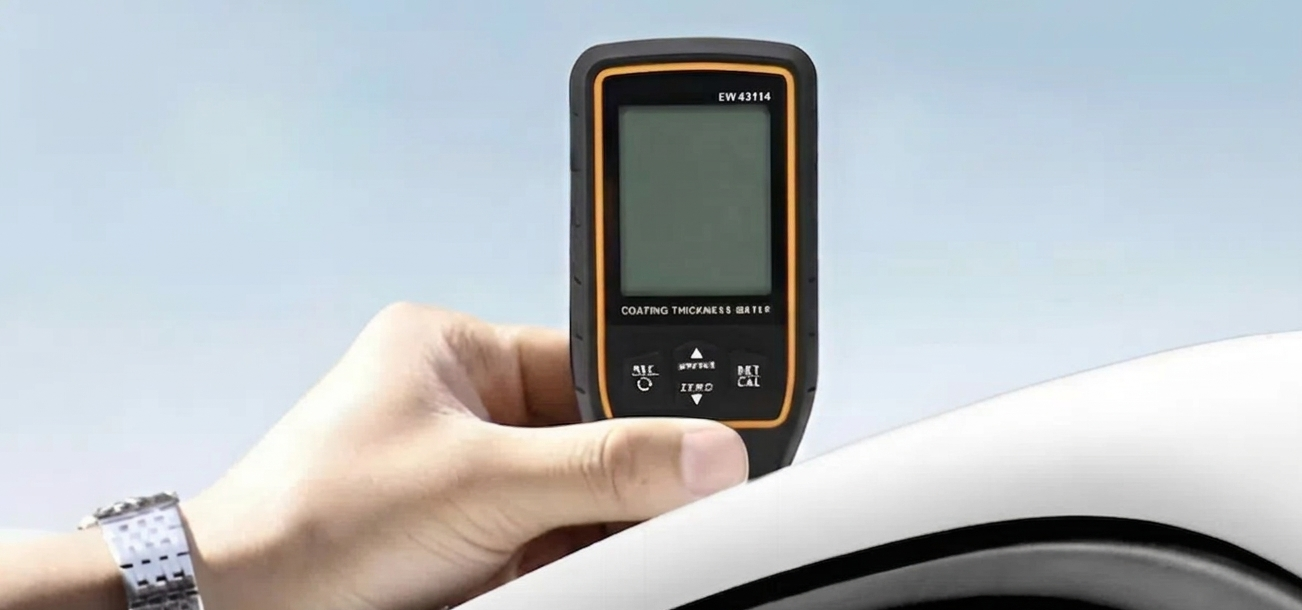
If the device powers on but doesn't display measurement results, you need to check the following:
Power supply/Battery malfunction: This is a simple but easily overlooked reason. When the battery is low, the device may still have enough power to turn on the screen, but not enough current for the microprocessor to activate the measurement from the probe.
Solution: Observe the battery icon on the screen. If the battery indicator is red, replace it immediately. Prioritize using high-quality alkaline batteries for stable current; avoid using cheap batteries that may leak and damage the circuit.
Loose or broken probe connection cable: With devices using detachable probes like the Elcometer A456, the cable is prone to loosening or internal breakage due to strong pulling during use. The signal is not transmitted to the device, causing the screen to remain still and not display numbers.
Troubleshooting: Remove the probe, clean any dust or dirt from the connector, and reinsert it firmly. If the device still doesn't recognize the object, try a different probe of the same type to determine if the fault lies with the cable or the device itself.
Dirtened probe or malfunctioning sensor: The probe surface may be covered with dried paint, grease, or metal shavings, preventing the sensor from making direct contact with the sample. This interrupts the material detection process.
Troubleshooting: Use a soft, dry cloth to clean the probe contact surface. Absolutely do not use sharp objects to scrape off any dirt as this can easily scratch the gemstone at the sensor tip.
Moisture or corrosion in the electronic circuit: High humidity or chemical exposure in the working environment causes internal components to oxidize. This condition results in intermittent malfunctions or complete loss of display capabilities.
Solution: You should not attempt to disassemble the device yourself in this case. Send the device to an EMIN technical center for professional inspection using specialized equipment and thorough circuit cleaning.
Read more related articles:
A guide to using and maintaining your material thickness gauge for maximum durability
Top 3 most accurate Elcometer paint thickness gauges in 2026
Tips for keeping your measuring device running smoothly
Minimize data display errors by following these maintenance habits:
- Keep away from chemicals: Do not allow the device to come into direct contact with paint thinner or strong detergents.
- Protect from impacts: Always wear a neck strap or use a protective case when working on scaffolding to minimize the risk of drops.
- Remove the battery during extended periods: If not using the device for more than a week, always remove the battery to protect the contact springs.
- Store in a dry place: Use a shockproof case with a desiccant pack to protect the LCD screen and sensors from environmental moisture.
- Regular cleaning: Clean the machine and probes thoroughly after each shift, especially in dusty plating or painting workshops.
Properly troubleshooting data display issues helps maintain work efficiency and preserve the long-term value of the measuring instrument. For complex hardware problems, contact EMIN Vietnam for technical support and calibration of the measuring instrument according to Elcometer, Kett, Insize, and many other reputable brands.