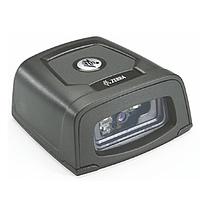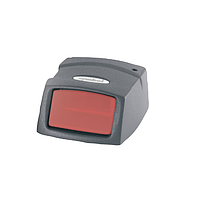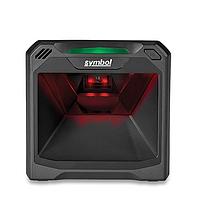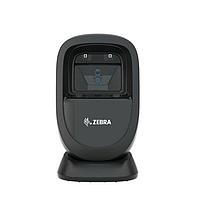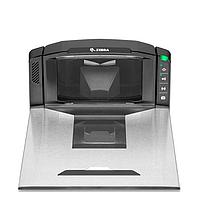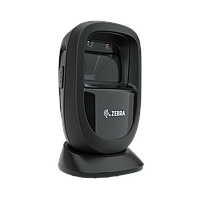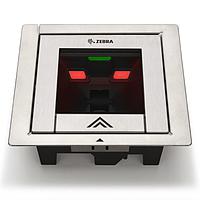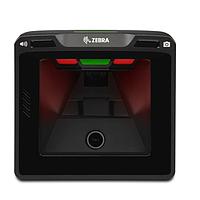
Desktop barcode reader
Fast, hands-free scanning is often the difference between a smooth workflow and a congested counter. In retail checkout, document intake, front-desk operations, and light warehouse stations, a desktop barcode reader helps operators scan items quickly without constantly picking up and repositioning a handheld device.
This category focuses on fixed-position barcode scanners designed for convenient presentation scanning. Depending on the application, these readers may prioritize omnidirectional laser performance for high-volume 1D codes, or imaging-based scanning for 2D symbols, OCR support, and better tolerance for damaged or poorly printed labels.
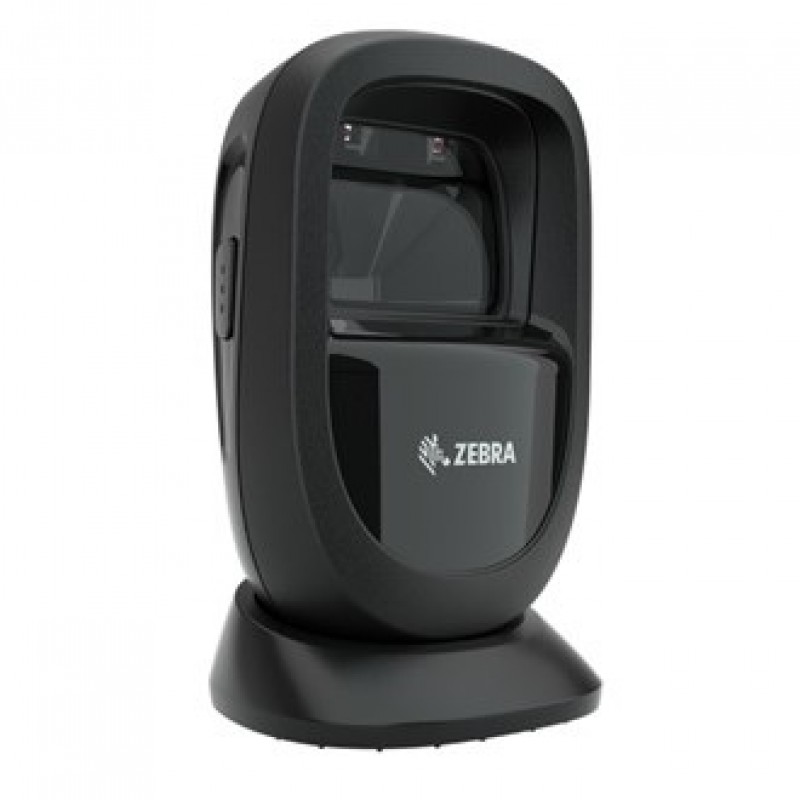
Where desktop barcode readers fit best
Desktop scanners are commonly installed in places where speed, repeatability, and operator convenience matter more than mobility. Typical use cases include supermarket and convenience store counters, pharmacy desks, reception areas, parcel intake points, and administrative offices that process barcoded forms or labels throughout the day.
Because the scanner remains in a fixed position, staff can keep both hands available for sorting goods, handling documents, or managing payment flow. For operations that need more mobility, a handheld barcode reader may be a better fit, while desktop models remain a strong choice for stable, high-frequency counter scanning.
Common scanning technologies in this category
Not every desktop scanner works the same way. Some models use omnidirectional laser scanning, which is well suited to fast reading of standard 1D barcodes from multiple angles. This is a familiar choice for traditional point-of-sale environments where labels are consistently printed and product flow is continuous.
Other devices use area-imaging technology, which captures barcode data more like an image. In practice, this makes them more flexible for reading 1D and 2D codes, as well as labels that may be wrinkled, low contrast, or shown on screens. That distinction is important when businesses are moving beyond classic retail barcodes into QR, OCR, or mixed-format applications.
1D laser or 2D imager: how to choose
If your workflow is centered on standard retail labels and rapid pass-through scanning, a laser-based desktop scanner can still be a practical option. Models such as the Honeywell Orbit 7120 and Honeywell OrbitCG 7180 illustrate the role of omnidirectional laser scanners in counter environments where speed and ease of use are the main priorities.
If you need broader code support, 2D imagers are usually the safer long-term choice. The Zebra DS9308 and Honeywell solaris xp7990G are examples of presentation-style scanners that support 1D and 2D reading, with some models also handling OCR and Digimarc-related requirements. For users comparing broader fixed-mount options in harsher or more automated environments, the industrial barcode reader category can provide additional context.
Features that matter in daily operation
When selecting a desktop barcode reader, it helps to look beyond basic decode capability. Real-world performance depends on how quickly the scanner reads moving items, how tolerant it is of different code orientations, and whether it can maintain stable operation over long shifts. Interfaces such as USB, RS-232, Keyboard Wedge, and RS485-related connectivity are also relevant when integrating with POS systems, kiosks, or legacy host equipment.
Environmental durability can matter even in indoor applications. Some scanners in this category include IP-rated protection and designs intended to resist dust or airborne particulates around counters and service desks. This is especially useful in busy checkout lanes, pharmacy counters, and logistics stations where devices are exposed to frequent handling and continuous operation.
Representative products and brand options
Several well-known manufacturers are represented in this category, including Zebra, Honeywell, OMRON, TSC, and Webscan. Each brand tends to address a slightly different need, from compact presentation scanners for retail counters to verification systems used in quality control and traceability workflows.
For example, the Zebra DS9308-SR and Zebra SP72-V/SP72-H support presentation-style scanning for 1D and 2D codes in front-counter environments. Honeywell offers established counter scanner formats through models such as the Orbit 7120, OrbitCG 7180, and solaris xp7990G. In barcode quality applications, the OMRON LVS-9510 Desktop Barcode Verification System and Webscan Trucheck USB.2018 serve a different purpose, focusing on barcode verification and grading rather than routine transactional scanning.
Beyond scanning: verification, RFID, and labeling workflow
Some buyers searching in this area are not only looking for a counter scanner but for a broader barcode workflow. In that context, it is useful to distinguish between scanning, verification, printing, and identification technologies. A desktop scanner reads the code for operational processing, while a verifier checks barcode quality against grading standards, which is more relevant in packaging, regulated labeling, and traceability processes.
There are also adjacent products in the wider ecosystem, such as the Honeywell IF2B Network Reader and Honeywell IP2L Snap-on LF/UHF/RFID Reader, which address RFID-based identification rather than optical barcode presentation scanning. On the labeling side, devices such as the TSC TTP-244CE Advanced support barcode label production, which often complements scanner deployment in warehouses, workshops, and shipping stations. If your operation includes staff who scan away from fixed counters, it may also be worth reviewing mobile barcode reader solutions.
Typical applications by industry
In retail, desktop barcode readers are mainly used to accelerate checkout and reduce repetitive hand movement for cashiers. Presentation scanning is especially helpful when stores process a high volume of small items and want consistent scanning speed without relying on trigger-based operation.
In logistics and office environments, these readers can simplify parcel intake, document registration, and form processing. Healthcare and pharmacy counters may also benefit from fixed scanners where staff need to identify labels quickly while keeping hands free for medication handling or patient-related tasks. For setups that require mounts, cables, power options, or replacement parts, browsing barcode accessories can help complete the installation.
Choosing the right desktop scanner for your setup
A good starting point is to define the barcode types you need to read today and the formats you may add later. If your workflow is still mostly 1D at a checkout counter, an omnidirectional laser model may be sufficient. If you expect 2D migration, screen-based codes, or more variable label quality, an imaging-based scanner is usually more flexible.
It is also worth checking host interface compatibility, physical footprint, sealing level, and the way operators interact with the scanner during peak usage. A desktop barcode reader should fit the pace of the station, not just the barcode itself. Choosing with that broader workflow in mind usually leads to a more reliable and scalable deployment.
For businesses building a dependable barcode identification system, desktop models remain a practical option where speed, ease of use, and fixed-position scanning are essential. The right choice depends on code type, scanning volume, integration requirements, and the level of durability or verification needed in your process.
Get exclusive volume discounts, bulk pricing updates, and new product alerts delivered directly to your inbox.
By subscribing, you agree to our Terms of Service and Privacy Policy.
Direct access to our certified experts