SCADA Component
In industrial monitoring and control projects, the hardware and software around a SCADA platform often determine how smoothly data moves from the field to the operator screen. This category brings together practical SCADA Component options used to build, expand, or support supervisory systems in factories, utilities, buildings, and process applications.
Whether the requirement is local operator interaction, industrial computing, remote communication, or supporting software for data visualization and alarm handling, the right component mix helps create a more stable and maintainable automation architecture. For teams comparing related solutions, it can also be useful to review the wider data logger for automation systems range when historical recording and event tracking are part of the project scope.
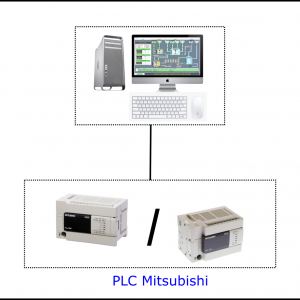
What belongs in a SCADA component ecosystem
A SCADA environment is rarely a single device. It is usually a combination of operator interfaces, industrial PCs, communication units, software tools, and system accessories that support acquisition, visualization, alarm management, and remote access.
In this category, you can find examples ranging from compact computing platforms such as the Asus NUC13 Prodesk RNUC13VYKI50006 Mini PC and Asus NUC 13 Pro Tall NUC13ANHI7 Mini Computer to industrial computing devices like the ATPRO GK1-4278U Industrial PC, ATPRO GK1-4578U industrial computer, ATPRO G4-8550U Industrial PC, and ATPRO ATBOX-G8 IPC. Operator-side equipment is also represented by the SIEMENS 6AV2123-2JB03-0AX0 SIMATIC HMI, KTP900 Basic, while software and connectivity items from EMIN illustrate how SCADA systems can extend into monitoring and remote communication.
Typical roles of SCADA components in real projects
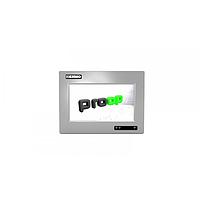
Industrial HMIs are commonly used at machine or line level to provide local visualization, parameter setting, and status feedback. A panel such as the SIEMENS KTP900 Basic fits this role by giving operators a direct interface for process interaction without needing a full workstation at every point of control.
Industrial PCs and compact computers often act as the runtime platform for SCADA software, edge data collection, protocol conversion, or local historian tasks. In many projects, a compact mini PC is suitable for office-like control room environments, while a fanless or port-rich industrial PC is preferred on the plant floor where serial devices, multiple LAN interfaces, and 24/7 operation are important.
Communication and supervisory software also play a key role. Items such as EMIN F2103 GPRS IP Model, EMIN ATSCADA monitoring software, and EMIN ATCloud server storage service reflect the broader reality that SCADA is not only about screens and controllers, but also about moving data reliably, storing it, and making it accessible for operations teams.
Choosing between mini PCs and industrial PCs
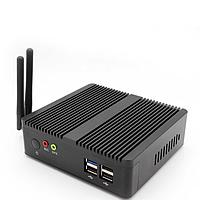
For many buyers, one of the most important decisions is selecting the right computing platform. A system based on Asus mini PCs can be a good fit when the installation calls for a modern compact footprint, strong general-purpose processing, multiple display outputs, and easy deployment in control cabinets, offices, kiosks, or lightweight edge applications.
Models such as the Asus NUC13 Prodesk RNUC13VYKI50006 Mini PC and Asus NUC 13 Pro Tall NUC13ANHI7 Mini Computer are relevant when users need compact Intel-based performance, support for multiple displays, and current connectivity options. These types of devices are often selected for dashboards, operator stations, and visualization nodes where space efficiency matters.
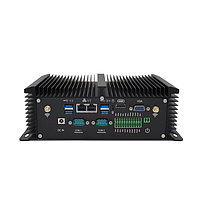
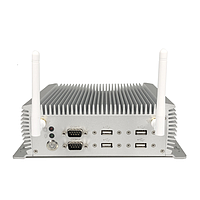
By contrast, many ATPRO industrial PCs emphasize features that are especially useful in automation environments: multiple COM ports, dual LAN, flexible serial settings, wide DC input in some models, and fanless or industrial-style housings. Devices such as the ATPRO GK1-4578U industrial computer or ATPRO G4-8550U Industrial PC are more aligned with machine integration, legacy equipment communication, and continuous-duty field use.
Operator interface and visualization layer
The visualization layer should match both the process and the operator’s working conditions. A dedicated HMI is often the simplest choice for machine-level interaction, while an IPC-based SCADA station is usually better when the application needs larger graphics, trending, alarm summaries, recipe management, or integration across multiple assets.
The SIEMENS 6AV2123-2JB03-0AX0 SIMATIC HMI, KTP900 Basic is a good example of a compact operator interface for local control and status monitoring. For broader project compatibility, users exploring panel and control ecosystems may also want to browse the dedicated Siemens automation range when building systems around established PLC and HMI platforms.
Connectivity, software, and remote supervision
A modern SCADA architecture typically extends beyond the control room. Remote communication devices, cloud-linked services, and supervisory software help engineering teams collect data from distributed assets, issue alarms, and maintain visibility over critical processes.
Within this context, EMIN F2103 GPRS IP Model can be understood as a supporting communication element for remote data transmission scenarios, while EMIN ATSCADA monitoring and alarm software represents the application layer for visualization and event management. EMIN ATCloud server storage service adds another practical dimension for projects that need hosted storage or centralized access to operational data.
If the application requires broader platform elements for supervisory software deployment, protocol expansion, or monitoring infrastructure, the related SCADA component selection can be combined with suitable logging and automation devices to form a scalable architecture.
Key selection factors for B2B buyers
When evaluating SCADA components, it helps to focus on the system role rather than only comparing processor names or I/O counts. The first question is where the device will sit in the architecture: local HMI, SCADA workstation, edge gateway, communications node, or software licensing/support element.
Next, review the practical integration points. In automation projects, common decision criteria include available serial ports, LAN configuration, display outputs, storage options, operating system compatibility, mounting constraints, and expected runtime conditions. For example, ATPRO models with multiple COM ports may simplify connection to legacy instruments, while compact Asus systems may be more attractive for visualization-heavy operator stations.
Scalability is also important. Many plants start with a local machine interface and later add centralized monitoring, historical data, alarm notification, or remote access. Choosing components that can fit into a larger supervisory environment reduces redesign work later on.
Examples of component combinations
A simple machine-level package might combine an HMI for operator interaction with an industrial PC for local data handling and a communication module for remote reporting. In another scenario, a compact mini PC can be used as a SCADA runtime terminal in a clean control room, while field-level industrial PCs handle protocol collection near production equipment.
For distributed sites, software and communication become even more important. A project may use a local IPC to gather signals, a remote communication device to send data outward, and SCADA software to centralize monitoring and alarms. This layered approach is common in utilities, building systems, environmental monitoring, and light industrial automation.
Finding the right fit for your SCADA architecture
The most effective SCADA setup is not built around one device category alone. It depends on matching the right HMI, computing platform, communication path, and software layer to the process requirement, environmental conditions, and long-term expansion plan.
From compact Asus mini computers to port-rich ATPRO industrial PCs, Siemens operator panels, and EMIN software or connectivity tools, this category supports different stages of supervisory control deployment. If you are defining a new system or upgrading an existing one, comparing components by their role in the overall architecture will usually lead to a more reliable and maintainable solution.
Get exclusive volume discounts, bulk pricing updates, and new product alerts delivered directly to your inbox.
By subscribing, you agree to our Terms of Service and Privacy Policy.
Direct access to our certified experts